Olga Mykhoparkina
Founder, CEO

Olga Mykhoparkina
May 19, 2026You have a blog. You’ve been publishing for a year or two. The content is decent, well-researched, properly formatted, maybe even well-written. But you’re barely getting 500 visits a month, your demo request form is collecting dust, and you can’t point to a single deal that came through the blog.
This is the most common situation we see when new clients come to Quoleady. The content itself is often good. But no one has really stepped back to ask: is it the right content? Is it targeting the right audience? And is it structured in a way that Google and LLMs can actually find and use it?
A content audit answers all of those questions. And when done right, it’s often the fastest ROI move a SaaS company can make.
We’ve done this for over 100 SaaS companies, including Effy AI (0 to 60,000 organic clicks/month), FullSession (500 leads from 16 articles in 4 months), and PassKit (876 leads from 26 articles). What follows is the exact checklist we use. It is updated for 2026, including a full section on auditing for AI visibility.
A content audit without a specific goal is just a spreadsheet exercise. You’ll spend hours cataloguing URLs and then have no idea what to do next.
Before you open Screaming Frog or Google Search Console, decide what problem you’re trying to solve. There are three common goals for a SaaS audit:
1. Recover lost rankings: Traffic dropped after a Google update, or articles that used to rank have slowly slipped. You need to find what changed and fix it.
2. Improve conversions from existing traffic: You have decent traffic but almost no demo requests or trial signups coming from the blog. The content is reaching people but it’s always the wrong ones, or failing to move them.
3. Prepare your content for AI visibility: Your content isn’t showing up in ChatGPT or Perplexity answers. You need to understand why and what to fix.
Most SaaS founders who come to us have a combination of all three. Your goal shapes which parts of this checklist you should prioritize. If you’re mainly worried about rankings, lean harder on Steps 2 and 4. If conversions are the issue, Step 3 is where to spend the most time. If AI visibility is the goal, Step 6 is where the real work happens.
You can’t audit what you can’t see. Start by pulling together every indexed page on your blog into a single spreadsheet.
Once the spreadsheet is built, you have your audit universe. Everything from here happens inside it.
This is where most content guides fall short. They say “analyze your traffic metrics” and leave it at that. What you need are clear rules for when a number triggers action.
Here’s how we evaluate performance at Quoleady.
A post that ranks in positions 4–10 with a CTR below 1% is likely to have a title or meta description problem. These positions still get a reasonable share of impressions, which means people are seeing your link in the results.
If they’re not clicking, the headline isn’t giving them a clear reason to. The content could be excellent. The meta title might be too generic, too keyword-stuffed, or simply less clickable than the competition above it.
Before scheduling a full rewrite, try updating the title to be more specific, more benefit-driven, or more directly aligned with what the searcher wants.
In GA4, check whether any conversion events (demo requests, trial signups, contact form submissions) are attributed to blog URLs. But before you start flagging everything that isn’t converting, manage your expectations because most blog posts don’t generate direct conversions, and that’s fine.
Only a small share of your articles, say typically 10% or fewer, will ever show a direct conversion. The rest help in building brand awareness, nurturing readers who aren’t ready to buy yet, establishing topical authority that strengthens the whole domain, and supporting the posts that do convert through internal linking.
A top-of-funnel explainer about a broad industry problem isn’t supposed to generate demo requests. If it’s pulling in the right audience, building organic reach, and passing readers toward more conversion-oriented content, it’s working.
A bottom-of-funnel comparison article like “your tool vs. competitor X” absolutely should be converting. If it isn’t, that’s where to you need to look into. Check if the CTA is in the right place, if the article is reaching buyers who are evaluating options, and if the content positions your product as the better choice or not.
We’ll go deeper on the ICP alignment and CTA check in Step 3.
SEO metrics tell you what is happening. This step tells you why.
For each post you’ve flagged, do a manual read-through and ask:
The ICP alignment check is where most SaaS blogs leak leads without knowing it. Here’s a real example.
When we started working with FullSession, a web analytics SaaS, their blog had decent content but almost no conversions. They’d been writing for a broad audience like marketers, designers, or anyone interested in UX. But their actual buyers were product managers and SaaS founders actively evaluating session recording tools. We shifted strategy to mid-funnel comparison content aimed directly at those buyers.
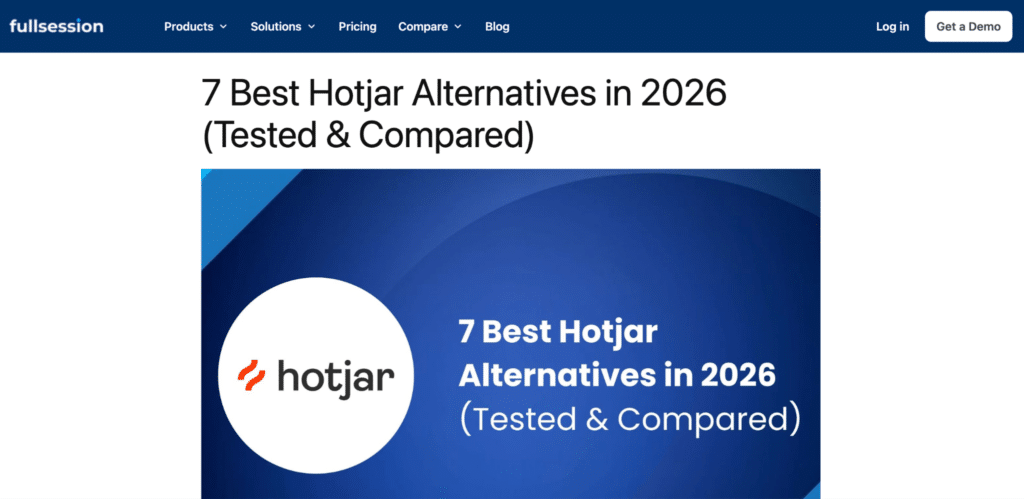
We wrote articles like “HotJar alternatives” and positioned FullSession as the top option, attracting readers already actively shopping in the category. As a result, they got 500 leads from 16 articles in four months, starting from a domain with a DA of 2 and zero backlinks. The content volume barely changed. The ICP targeting and keyword intent did.
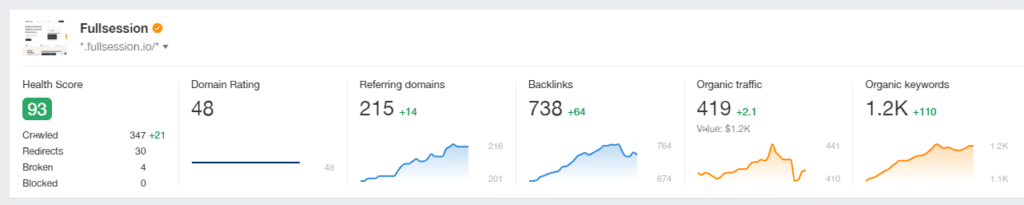
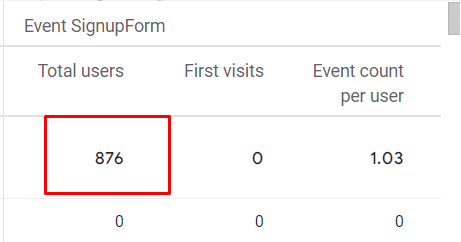
The same pattern appeared with PassKit, a mobile wallet solutions provider. Their blog had content, but it wasn’t targeting the bottom-of-funnel buyers who were ready to make a purchasing decision. Redirecting the content strategy toward high-intent keywords and product-led articles generated 876 leads in 14 months from just 26 articles.
Keyword cannibalization is when two or more of your articles are targeting the same (or very similar) keyword. Google has to pick one to rank. It might pick the wrong one. As a result, both end up ranking poorly.
This is common in SaaS blogs that have been publishing for 2+ years without a content calendar or keyword map.
Export all target keywords from your audit spreadsheet and sort alphabetically. Look for duplicates or near-duplicates. If you’re not sure which posts overlap, search Google for site:yourdomain.com [keyword] and see how many of your own pages show up.
For example, we ran this search using our domain for the keyword ‘SaaS content marketing strategy’. It shows 4 results at the top, these are articles targeting “SaaS content marketing strategy,” “SaaS content strategy,” “best SaaS content marketing blogs,” and “SaaS content marketing tools.“
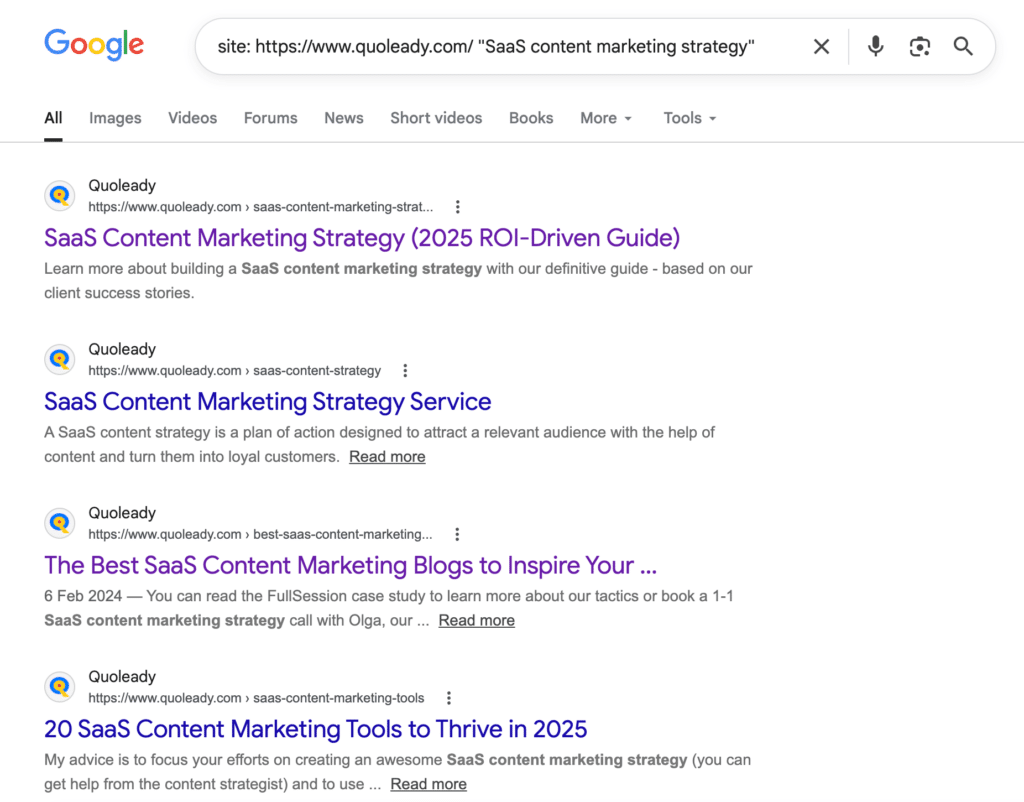
This is fine because each url targets a meaningfully different keyword with different intent. Cannibalization is when multiple posts compete for the exact same keyword, not when related topics appear together.
One question we hear constantly from clients: “Should we even be writing listicles for our main business keyword? Won’t a ‘best [category] tools’ article compete with our homepage?”
This is one of the most misunderstood areas of content strategy in SaaS.
A listicle like “best LinkedIn automation tools” and a product homepage for a LinkedIn automation tool are targeting completely different intents. Someone searching for a list is in research mode, comparing options, not yet ready to commit. Someone landing on your product page is further along. Google understands this distinction, and it won’t penalise you for having both. In fact, it will often reward you.
We saw this with Expandi, a LinkedIn automation SaaS. One of the first articles we ever wrote for them was a listicle – “Top 10 LinkedIn automation tools for lead generation” – where Expandi appeared as the top recommendation. For a period, both their homepage and that article ranked in Google’s top 10 for their core keyword simultaneously. Two spots on page one instead of one.
The cannibalization risk only becomes real when two articles are targeting the same keyword with the same intent. For example, two separate “HubSpot alternatives” posts that both try to rank for the identical query and serve the identical reader. That’s where you consolidate.
For more precision across your full blog, use Ahrefs’ Organic Keywords report and filter to keywords where multiple URLs from your domain appear in the top 20. Those are your actual cannibalization candidates.
Clean up internal links that still point to the deleted or redirected URL after you make the change.
Once you’ve gathered performance data, quality notes, and cannibalization findings for every post, you need to make a decision on each one. There are four options.
Keep a post as-is if:
Within “Update,” there are two levels of effort:
Do a complete rewrite if:
Merge two posts if:
Always 301 redirect the absorbed URL to the surviving URL.
Delete a post if:
Before deleting, check whether any other pages on your site link to it internally. Update those links to point somewhere relevant. And always 301 redirect deleted URLs, even to a category page, to preserve any residual link equity.
We apply this exact framework to our own blog as well. We’re a small agency, and like most teams, we don’t always have the capacity to constantly publish new content. That’s why a big part of our growth comes from improving what we already have.
Here’s what that looks like in practice:
For example, we’re currently updating our article on SaaS content strategy to reflect how search has changed. We’re adding a stronger focus on AI search (GEO), updating outdated sections, and aligning the content with how Google and LLMs evaluate content today.
We’ve also identified several cases of content overlap — multiple articles targeting similar keywords but competing with each other.
For example, we’re merging these posts:
Into a single, stronger page:
SaaS Link Building Strategy in 2026: The Ultimate Guide
This allows us to consolidate authority, avoid cannibalization, and compete with higher-quality pages.
We’re doing the same with our “content writing” articles:
These have become:
SaaS Content Writing: The 2026 Ultimate Guide
We’re also updating list-based content to keep it competitive and aligned with how people search today.
For example:
We’re expanding the list and adding a GEO angle to improve visibility in both Google and AI search.
If you’ve significantly reworked a piece of content (for example, rewriting large sections, updating structure, or changing positioning), it can make sense to update the publish date or clearly display a “last updated” timestamp.
If you’re updating 50%+ of the article, you’re effectively creating a new version of that content on the same URL.
According to Bain & Company, nearly 80% of consumers use Google AI Overviews for at least 40% of their searches. Meanwhile, according to SparkToro’s 2024 zero-click research, 58.5% of US Google searches ended without a click to any website.
Rand Fishkin, co-founder of SparkToro, has framed the implication plainly that influence now matters more than traffic. Your buyers may reach a conclusion about their software shortlist before they ever click through to your site.
A growing share of that influence now happens inside AI tools. Statista projects the number of US adults relying on generative AI as their main search tool will rise from 15 million in 2024 to more than 36 million by 2028.
That means your content needs to be inside AI-generated answers..
“The best keyword opportunities aren’t the ones everyone can see — they’re the ones hiding in conversations your prospects are having when they’re not filling out search bars.” — Rand Fishkin, Co-Founder, SparkToro
Here’s how to audit for AI visibility.
Before optimising anything, find out where you stand. Open ChatGPT, Perplexity, and Google’s AI Overview (search a relevant term on Google and see if an AI summary appears) and ask the questions your buyers would actually ask.
For example:
Does your brand or content appear in the answers? If not, that’s the baseline problem you’re solving.
We test this regularly for our clients and have seen structured content play an important role in AI visibility.
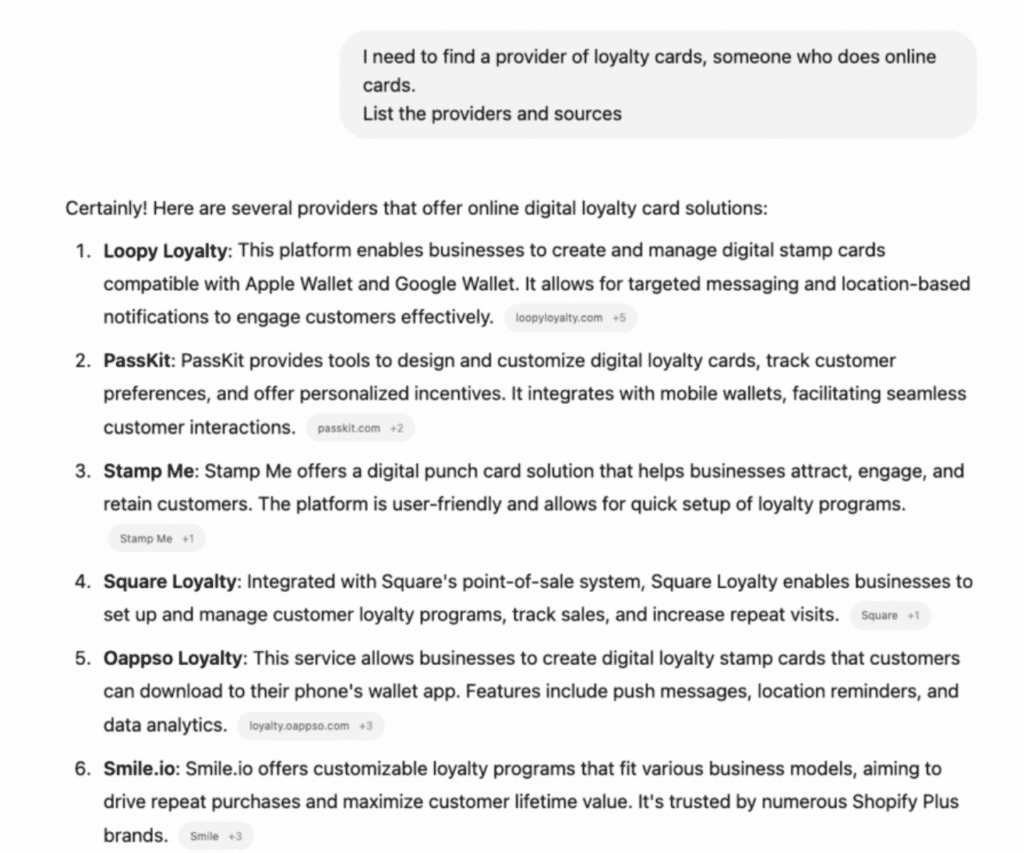
For PassKit and its sister brand Loopy Loyalty, restructuring content was one part of a broader effort. We improved clarity, added direct answers, refined headings, and worked on overall positioning across their content.
Over time, both brands started appearing as the top two answers in a ChatGPT response for “loyalty card software providers.”
This wasn’t the result of a single change. Brand authority, existing rankings, topical relevance, and third-party mentions all contributed. But improving how the content is structured made it easier for LLM tools to understand and cite it.
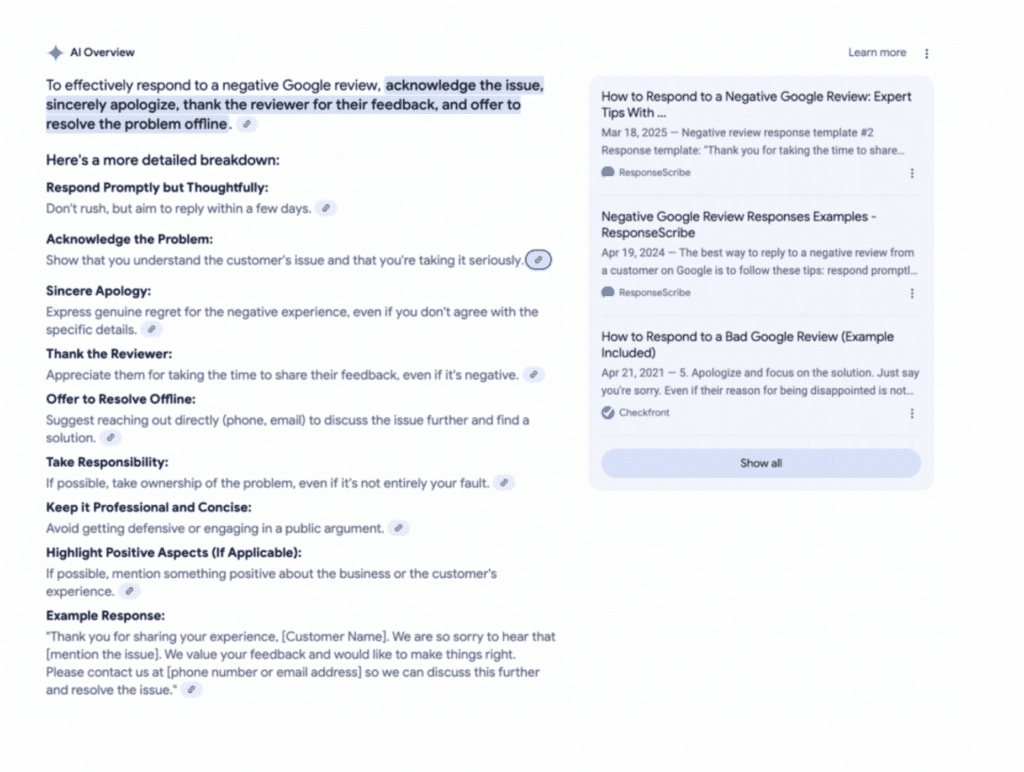
For our another client ResponseScribe, we simplified existing content and answered buyer questions more directly. That same post was later cited in a Google AI-generated summary, before any organic results. We didn’t do a full rewrite of that article but we changed the structure, and made the headings more direct based on search intent.
For ongoing monitoring across clients, we use Allmond. The tool tracks whether your brand appears in AI answers across ChatGPT, Claude, and Gemini. It gives you weekly scans, 0–100 visibility scores, and shareable dashboards. It’s what we use to measure GEO progress over time. You can some of its features below:
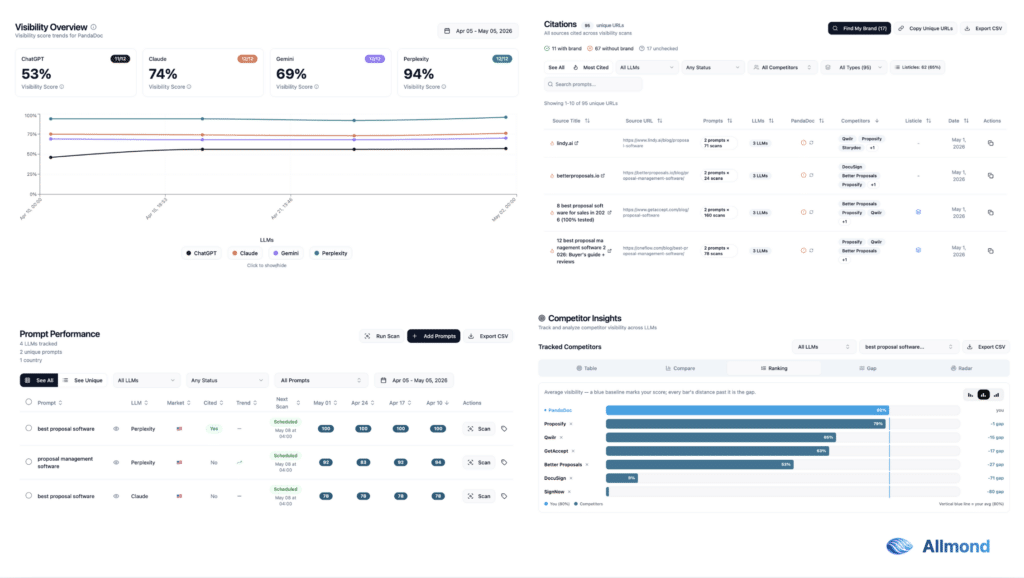
You can also check more AI visibility tools in our guide.
AI tools extract passages. That’s why each section of your content should be able to function as a standalone answer.
Go through your most important posts and check:
One of the early research done by Princeton, Georgia Tech, and IIT Delhi on GEO in 2024 found that including statistics, citing sources, and structuring content for direct answers significantly boosts AI citation rates, with some optimisations producing 30-40% higher visibility in AI-generated responses. This was the paper that formally coined the term ‘GEO: Generative Engine Optimization’.
Additionally, Surfer’s analysis of Google AI Overviews found that 67.82% of sources cited in AI answers don’t rank in the top 10 for the same query. AI systems select for extractability and authority rather than for rankings.
LLM tools pull content that’s clear, genuinely useful, easy to summarize, and structured for AI-first indexing. That’s why it’s important to repurpose content for LLMs. You can use these 10 content formats LLMs actually pick up, if you want more visibility in ChatGPT answers.
Check whether your blog posts have Article schema. For any post with a FAQ, a how-to list, or a step-by-step process, add FAQ schema or HowTo schema. Schema markup gives AI crawlers clear, machine-readable signals about the structure and meaning of your content.
In March 2025, Fabrice Canel, Principal Product Manager at Microsoft Bing, confirmed at SMX Munich that schema markup helps Microsoft’s LLMs understand web content, specifically for Bing’s Copilot AI. That’s an official statement from one of the major AI platforms confirming they use structured data when parsing and answering queries.
Use Google’s Rich Results Test to validate your implementation. It usually takes just a few minutes per page to check whether your schema is valid, though adding or fixing markup can take longer depending on your setup.
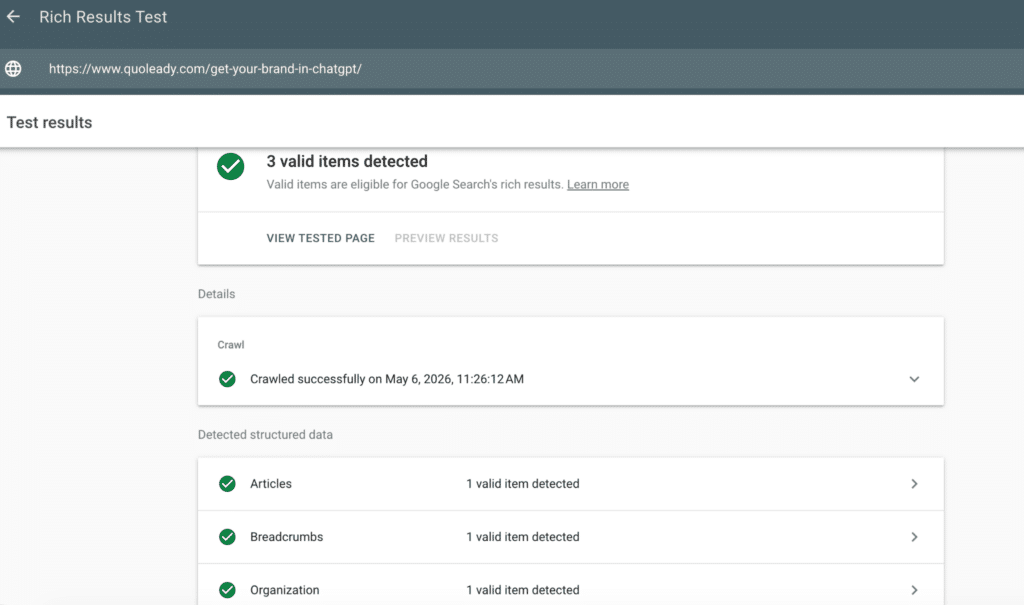
If you want to check structured data across your entire blog at once (and realistically, who has time to go page by page?), run a Screaming Frog crawl and use the Structured Data tab under the SEO menu. It will show you which pages have schema, which type, and flag any errors or warnings, across your entire site in a single pass.
We’ve written a detailed breakdown of which schema types matter most for LLM visibility and exactly how to implement them in our guide: Schema & Structured Data for LLM Visibility.
AI systems, like Google’s Quality Raters, favor content with clear experience and expertise signals. Check each of your important posts:
These signals tell AI retrieval systems whether to trust a source enough to cite it.
Research from Alllmond’s blog on the role of expert quotes in earning LLM citations shows that articles with prominent pull quotes containing specific statistics or findings see significantly higher LLM citation rates compared to similar content without them. AI systems reward specificity and attributed expertise. Generic advice from no-named authors gets passed over. Named experts with real credentials, citing real data, get cited.
This aligns with what Google Search Central’s documentation states about high-quality content that EEAT signals are foundational for surfacing in AI-driven search experiences.
Check your robots.txt file at yourdomain.com/robots.txt. If it blocks GPTBot, ClaudeBot, PerplexityBot, or Google-Extended, you’re actively preventing AI tools from reading your content.
Many SaaS sites added broad bot-blocking rules during 2023 and never revisited them. If your content is blocked from AI crawlers, none of the other GEO work in this checklist matters because the tools literally cannot access it.
You can check this in two minutes. Look for any Disallow rules that apply to AI crawlers, and remove them for pages you want to be discoverable.
Beyond robots.txt, two other technical additions are worth making:
The audit gives you a list. Now you need a plan.
Don’t try to fix everything at once. Start with the posts that rank between positions 4–20 and have either low CTR or low conversions. These pages have existing Google trust and will move fastest when you improve them.
A practical 30-day priority order:
After 30 days, use GA4 to compare the before-and-after window for the specific pages you updated. Changes in organic sessions, CTR, and conversions are your leading indicators.
For ongoing cadence, we recommend a full content audit every 6 months for SaaS companies actively publishing. If you’ve had a major product update, a pricing change, or a shift in ICP, audit immediately, and don’t wait for another 6-months.
That said, not all content deserves equal attention between audits. Your highest-value lead gen articles – bottom-of-funnel comparisons, alternatives pages, pricing articles – should be reviewed much more frequently than the rest of your blog. When we were working with our client Chanty, we updated our most important article, “Slack alternatives,” every single month. Rankings in that category changed constantly, competitors updated their pricing, new tools entered the market. A month-old version of that article was already losing ground. For a page that’s actively generating signups, that kind of cadence pays for itself.
Topical authority content, with broad educational articles that build domain authority and support your lead gen pages through internal linking, can be deprioritised between audits. It’s still worth reviewing twice a year, but it doesn’t need the same hands-on attention as the posts that are directly responsible for bringing in leads.
The closer a post is to a conversion, the more often you should be looking at it.
A content audit done properly is a strategic reset that shows you which of your content investments are working, which aren’t, and what to build next.
This checklist covers the full process from inventory, performance benchmarks, quality and ICP alignment, keyword cannibalization, to a four-action decision framework. Most importantly, the piece most SaaS teams are still missing in 2026, an AI visibility audit that makes sure your content shows up in LLM tools.
You can work through this yourself using the steps above. Or let our team at Quoleady handle it – we’ve done this for 100+ SaaS companies.
Book a free call with Quoleady and we’ll tell you exactly where to start.
For a blog with 50-100 posts, expect 2-3 days of focused work to build the inventory, collect data, and make decisions on each post. For 200+ posts, a thorough audit typically takes 2-4 weeks. At Quoleady, we scope content audits to be completed within a month by focusing on the pages that matter most.
Every 6 months is a solid cadence for an active SaaS blog. Monthly, do a lighter review of newly published content performance in GSC as well as your top lead get content. After any major Google algorithm update, check your traffic in GSC to identify which posts were affected before your next scheduled audit.
A content audit looks at how well your content performs and aligns with your audience and goals. An SEO audit looks at how well your site is set up for search engines, including technical health and on-page optimization.They complement each other. Fix critical technical issues first, then improve content for better results.
For most audits, Google Search Console (free), GA4 (free), and Screaming Frog free version for crawling are enough. If you have Ahrefs or SEMrush, use those for backlink data and keyword position tracking. For AI visibility monitoring, you can use Allmond.
Not everything should stay. The old instinct to “keep everything” works against you in 2026. Thin, outdated, or redundant content dilutes your site’s topical authority and can pull down the overall quality signals Google and AI systems use to evaluate your domain. That said, always 301 redirect deleted URLs, don’t just remove pages without a redirect in place.
Olga Mykhoparkina
Founder, CEO
Read also



At Quoleady, we’ve worked with more than 200 B2B SaaS companies, from early-stage startups to
Olga Mykhoparkina
Jul 10, 2026
I often see teams paying for 15–20 different marketing tools while still struggling to publish con
Olga Mykhoparkina
Jun 30, 2026
High-quality content can help you improve your brand authority, increase traffic, attract leads and

Ardak Yeshniyazova
Jun 15, 2026 Let us know what you are looking to accomplish.
We’ll give you a clear direction of how to get there.
All consultations are free 🔥